

Data annotation is real work that real beginners do for real money — labeling images, rating AI responses, and checking chatbot answers so AI models learn what “good” looks like. It’s also one of the most misleadingly advertised corners of online work: the gap between a platform’s “$25–$30+/hour” headline and what actually lands in a beginner’s PayPal account is where this guide lives.
Here’s the honest picture: the work is legitimate, the pay is modest and wildly inconsistent, the qualification process is unpaid and slow, and scams orbit the whole space. If you go in understanding that, it can be reasonable side income. If you go in expecting a steady $25/hour from week one, you’ll quit by week three.
What data annotation actually is (plain English)
AI models learn from examples. Data annotation is the human labor of creating those examples: drawing boxes around cars in street photos so a self-driving model learns what a car looks like, comparing two chatbot answers and picking the better one, transcribing audio clips, judging whether a search result actually answers the query.
In practice, you’re not “training AI” in any glamorous sense. You follow long, detailed instruction documents and produce consistent human judgments — is this response accurate, safe, and responsive to the prompt? — which the platform’s clients feed into their training pipelines. Platforms call the same work “AI trainer,” “evaluator,” “rater,” or “annotator.” The tasks range from simple classification (careful reading plus rule-following) to specialist assignments requiring programming, math, or science credentials.
The pay trap: headline rates vs. what workers report
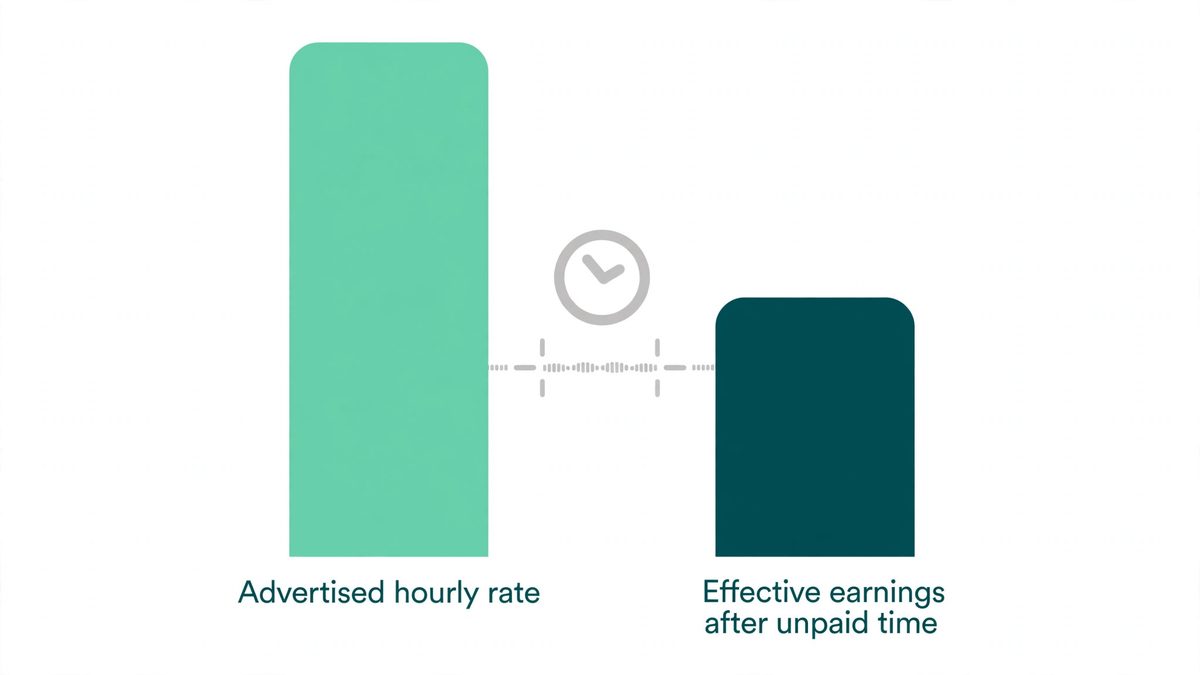
This is the section most guides skip, and it’s the most important one. Platforms advertise timer rates — what the clock says while you’re actively on a paid task. Workers live in effective rates — total payouts divided by total time spent, including unpaid qualifying, reading instructions, waiting for tasks, and rejected work. Those two numbers are not the same.
| Platform | What the company advertises | What workers report | The catch |
|---|---|---|---|
| DataAnnotation | Company FAQ: general “starting at $25–$30+/hr”; coding/STEM/professional “$50–$100+/hr.” Newer Sep 2026 recruiting posts cite $25–$50+/hr general, $75–$125+/hr STEM, $75–$150+/hr coding; job board shows up to $150+/hr depending on specialization | Workers report logging $20/hr on standard projects; ~$14/hr effective once unpaid time is counted; one 5-week hands-on test: $26.42/hr | Long silent waits; dashboards can go empty for days |
| Outlier AI | $15–$50/hr general range shown per project; specialist listings up to ~$50/hr; company posts no public rate page | General writing $15–$25; community-reported effective $12–$35/hr; one community guide reports pay compression ($28–$35/hr projects restructured to $18–$22/hr by Q1 2026) | Expertise-gated; hard unpaid exams; “empty queue” frustration |
| Appen / CrowdGen | Varies by project | $10–$20/hr typical; per-task pay common | Steadier but lower ceiling; strict accuracy requirements |
| Clickworker | Task-based pay | $8–$15/hr claimed average (one reviewer’s aggregation of 100+ users) — but one 4-week hands-on test (LegitReviewsLab: ~620 tasks, 36 hrs, €82) earned $2.61/hr effective | Widest disagreement in the space; availability is everything |
| Toloka | Per-task pay | Cents per task (e.g. $0.01–$0.20 on image tasks); one reviewer’s estimates put beginners at roughly $20–$300/month at 1–4 hrs/day — estimates, not platform figures | Lowest floor; best treated as practice + pocket money |
| Remotasks | Per-task pay | $1–$3/hr on basic tasks (one community review; likely reflects a non-US worker mix) | Scale AI’s budget tier; one reviewer describes expert work as moved to Outlier |
(Sources: DataAnnotation FAQ + Sep 2026 recruiting posts and job board; Outlier figures via community-maintained evaluators-guild guide, Jul 2026; worker reports via breakingeven.online, May 2026; legitreviewslab.com hands-on tests, Sep 2026; earnifyhub.com, May 2026; remotebridgeai.com, Oct 2026; pixeldimes.com, Sep 2026.)
Three things to take from this table:
- Availability beats hourly rate. The #1 determinant of earnings across every source isn’t the advertised rate — it’s whether tasks exist when you log in. Thirty hours of $25/hr work that never materializes pays $0.
- Nobody can give you a stable monthly figure. Part-timers on DataAnnotation report $200–$500/month; a few full-timers claim $1,000+/month (“not typical”); Outlier workers report $100–$1,000/week “depending on availability” — a 10x range that is the story. One evidence-based reviewer explicitly refuses to repeat forum earnings totals because they can’t be verified. Neither will we.
- Rates move. A community-maintained guide (evaluators-guild, Jul 2026) reports Outlier projects that paid $28–$35/hr in early 2025 were restructured to $18–$22/hr by Q1 2026. Qualifying for a rate means little if the queue is empty or the rate gets cut.
The platforms, honestly assessed for beginners
DataAnnotation.tech — the one everyone asks about
The best-known platform, and the hardest to get into. No degree required for general work, but the process is: a 45–90 minute starter assessment, then an unpaid core qualification that can take hours, then ID verification — then silence. Waits range from under 24 hours to months, some applicants never hear back, and there’s no rejection email; your dashboard just stays unchanged. Workers who break through report the steadiest pay in the space, but “steady” still means project-dependent. Verdict: apply, but don’t wait on it — keep earning elsewhere in the meantime.
Outlier AI (Scale AI) — highest ceiling, highest bar
Outlier wants expertise: writing, math, coding, medicine, law, finance. Assessments are timed and hard by design (coding tracks look like LeetCode problems), onboarding exams take 2–6 unpaid hours, and an associate degree or higher is generally expected. Pay is the best in the space for qualifiers — but a community-maintained 2026 guide reports pay compression through 2026, and the “empty queue” (qualified, no tasks) is the signature complaint. Verdict: a poor first platform for a total beginner; a strong target once you have skills to sell.
Appen / CrowdGen — the steady middle
Appen (CrowdGen is its task brand, not a separate company) offers annotation, AI evaluation, search relevance, and transcription work at $10–$20/hr typical. Entry is more accessible than DataAnnotation or Outlier — free account, per-project qualification tests — but accuracy standards are strict and much pay is per-task rather than hourly. Verdict: the most realistic “middle rung” for beginners who pass the quals.
Clickworker — easy door, low floor
Registration is simple and tasks appear quickly, including UHRS work (rating Bing search results and ads). But the pay disagreement here is the widest in the space: claimed averages of $8–$15/hr versus a documented 4-week test at $2.61/hr effective. The gap is task scarcity. Verdict: fine for learning the ropes and pocket money; not a foundation.
Toloka — practice tier
Cents-per-task microtasks with the lowest entry barrier of all. Beginner estimates run $20–$300/month at 1–4 hours a day. A separate “AI trainer” project track advertises up to ~$22/hr equivalent but requires a bachelor’s degree and experience — a different door from the microtasks. Verdict: practice and pocket money, honestly framed.
Remotasks — Scale AI’s budget tier
Still operating (online per third-party availability checks, October 2026), but one reviewer describes Scale as having moved its expert work to Outlier, leaving Remotasks as the low-rate, high-volume tier: one community review reports $1–$3/hr on basic tasks (likely reflecting a non-US worker mix). Accessible, but structurally the bottom of the family. Verdict: only if you want the practice.
A note on Amazon Mechanical Turk: it’s gone
If a guide published before October 2026 lists MTurk as a beginner starting point, it’s outdated. Amazon permanently shut Mechanical Turk down on September 30, 2026, ending a 21-year run (GeekWire, Sep 29, 2026). The old “start on MTurk” advice now belongs to Toloka and Clickworker.
The realistic beginner ladder
No single ladder is gospel, but the community advice converges on a strategy (presented as strategy, not fact):
- Start now on Clickworker and Toloka — lowest friction, immediate practice, pocket money.
- Apply to Appen/CrowdGen in parallel — steadier mid-tier work once you pass project quals.
- Keep DataAnnotation and Outlier applications running in the background — their waits are long and silent, so start them early and earn elsewhere meanwhile.
The structural advice underneath: apply to 4–5 platforms simultaneously rather than waiting on one, because approvals take days to weeks and queues go empty without warning. Stacking platforms is how workers hedge the volatility.
How to pass the assessments (and what not to do)
Assessments test language ability, logical reasoning, and — most importantly — whether you can follow a long set of guidelines consistently. Practical advice from worker guides:
- Read the complete instructions before touching a graded question.
- Support judgments with evidence (dates, calculations, names from the guidelines).
- Accuracy over speed, every time.
- Use a reliable computer and stable connection; some projects forbid mobile devices.
- Do not use browser extensions, translation tools, generative AI, or outside help during assessments — it’s prohibited and can get your account restricted.
And a specific warning: YouTube “cheat” videos promise to beat DataAnnotation assessments with AI prompts and browser tricks. These are detectable, against platform rules, and a fast way to get banned before you earn a dollar. Treat them as a risk, never a tip.
Scams and red flags
This space attracts scams because it promises “easy online work, no experience.” The patterns, backed by 2026 warnings:

- “Task scams” (FTC warning): unsolicited texts or WhatsApp messages offering pay for simple tasks. Victims sometimes receive small real payouts first — which makes it convincing — then get asked for deposits (often crypto) to “unlock” bigger payouts. The FTC’s advice: ignore unexpected job texts; never pay anyone as a prerequisite to getting paid.
- Fake recruiter scams (FBI, updated June 2026): criminals impersonate real companies with fake listings and interviews. Red flags: being asked to use your personal bank account for business transactions, move money quickly, use crypto or gift cards — or “wages tied to moving money, not doing actual work.” Report at ic3.gov (FBI guidance).
- Pay-to-apply: legitimate platforms — DataAnnotation, Outlier, Appen/CrowdGen, Toloka, Clickworker, Remotasks — do not charge applicants any registration, equipment, or training fees. Anyone asking for such fees is running a scam — consistent with the FTC’s “no legit business” guidance above.
- No assessment, no legitimacy: real platforms always test you. “No experience needed, start earning today, no test” is a scam script.
- “Hundreds daily for simple tasks” — the oldest line in the book.
Rule of thumb: verify the domain, email, and portal yourself before submitting ID documents, and never move communication to Telegram or WhatsApp at a “recruiter’s” request.
For more on vetting remote job listings generally, see our guide to spotting data entry scams and finding legit listings — the same red flags apply.
What you’ll actually need
- A computer and stable internet. Some projects explicitly require a laptop or desktop — no mobile. This is non-negotiable for assessments.
- Strong English. It’s the de facto gate: standard grammar, punctuation, and attention to detail matter more than any credential for general work.
- Patience for unpaid auditions. Qualification tests, instruction docs, and onboarding are unpaid on the major platforms — the norm, with one known exception: DataAnnotation’s coding qualification reportedly pays a small fee plus a per-answer bonus. Budget hours to weeks of it before your first paid hour.
- A tax plan. The major platforms engage you as an independent contractor, not an employee — in the US, that means 1099 status. That means no tax withholding, Schedule C filing, and 15.3% self-employment tax on net earnings over $400 (IRS). Outside the US, your local tax rules apply. One 2026 change to know: the Form 1099-NEC reporting threshold rose from $600 to $2,000 — but that’s just when payers must send you a form. All income is taxable whether or not you receive one.
Who should NOT do data annotation
- You need steady, predictable income soon. Nothing here is guaranteed — not the hours, not the queue, not the rate. If rent is due in 30 days, this is the wrong plan.
- You hate tests and rulebooks. The entire job is following 40-page guidelines precisely. If that sounds miserable, believe the feeling.
- You can’t tolerate unpaid upfront work. Hours of assessments before a single paid task is the norm, not the exception.
- You’re looking for passive income. This is active, screen-staring, detail-oriented labor.
- You’d be tempted by “assessment cheats.” One detection ends the account. The shortcut is a trap.
FAQ
Is data annotation a real job or a scam?
The platforms above are real companies doing real work. But the space is surrounded by scams — task-scam texts, pay-to-apply schemes, fake recruiters. Legitimate platforms don’t charge you to apply, and they always test you.
How much can a beginner realistically make in the first month?
Honestly: possibly $0 to a few hundred dollars. Treat month one as an audition period — assessments, qualifications, waiting — not an income month. No source supports a stable monthly figure for beginners, so anyone quoting you one is guessing.
Do I need a degree?
Not for general work on DataAnnotation, Clickworker, Toloka, or most Appen projects. Outlier’s specialist tracks generally expect at least an associate degree, with bachelor’s/master’s/PhD for the higher-paying domains.
How long does it take to get accepted?
Anywhere from under 24 hours to months, depending on the platform — and some applicants never hear back. DataAnnotation is known for silent waits with no rejection notice. Apply to several platforms at once.
Is the work full-time viable?
For a small number of established, multi-qualified workers, it can approach that. For beginners, the honest baseline is occasional pocket money, with consistent side income a months-2–6 possibility for those who grind through qualifications — not a promise.
What happened to Amazon Mechanical Turk?
Amazon shut it down permanently on September 30, 2026. Guides that still list it as a starting point are outdated.
The bottom line
Data annotation is legitimate online work with a real pay ceiling — and a floor near zero on a bad week. The beginners who do well share a pattern: they apply everywhere at once, treat the first month as an unpaid audition, never pay to apply, and stack platforms to survive the volatility. The ones who wash out expected the headline rate to be the paycheck.
If the microtask world appeals to you more broadly, our guide to microtasks and online gigs maps what’s worth your time and what to skip — and our weekend side hustles roundup has options beyond the screen entirely.